DAO Voting
This guide explains how to participate in Dchain's decentralised governance by voting on proposals through the DAO governance portal.
What is DAO Governance?
DAO (Decentralised Autonomous Organisation) governance allows DT token holders to participate in decision-making for the Dchain network. Through on-chain voting, the community can:
- Approve protocol upgrades
- Adjust network parameters
- Allocate community funds
- Make strategic decisions about the network's future
Prerequisites
Before voting, ensure you have:
Important: Only staked tokens grant voting power. The more tokens you have staked, the greater your voting weight.
Understanding Proposals
Proposal Types
Dchain supports several types of governance proposals:
- Text Proposals: General decisions or signalling votes
- Parameter Change Proposals: Modifications to network parameters
- Software Upgrade Proposals: Protocol upgrades and new features
- Community Pool Spend Proposals: Allocation of community funds
Proposal Lifecycle
- Deposit Period: A proposal must reach a minimum deposit to enter voting
- Voting Period: Token holders vote on the proposal
- Tallying: Votes are counted and the outcome is determined
- Grace Period: Approved proposals waits for a grace period before execution, during this period the oversight committee can veto.
- Execution: Approved proposals are implemented on-chain
Accessing the Governance Portal
- Navigate to the Dchain governance portal
- Sign in with your account
- You'll see a list of active and past proposals
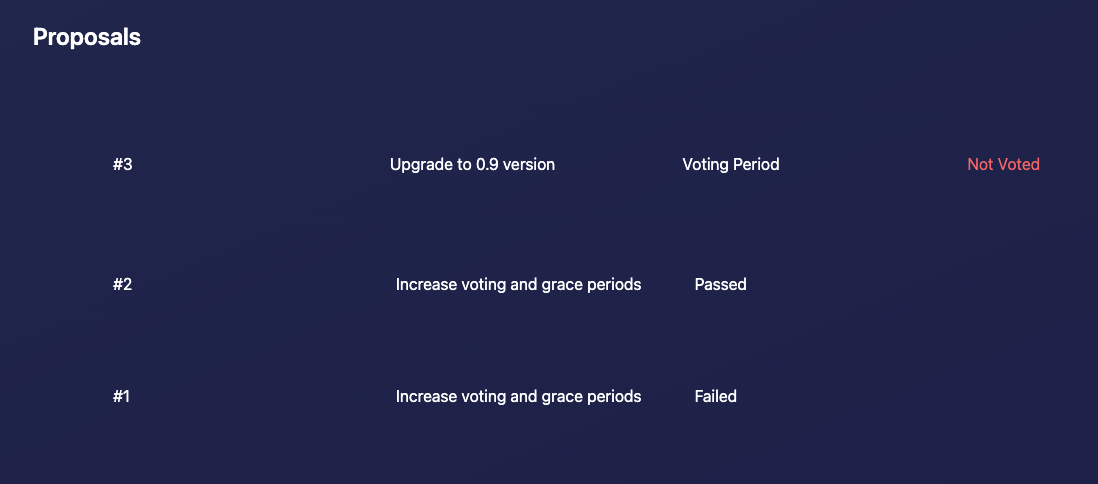
How to Vote on a Proposal
Step 1: Review Active Proposals
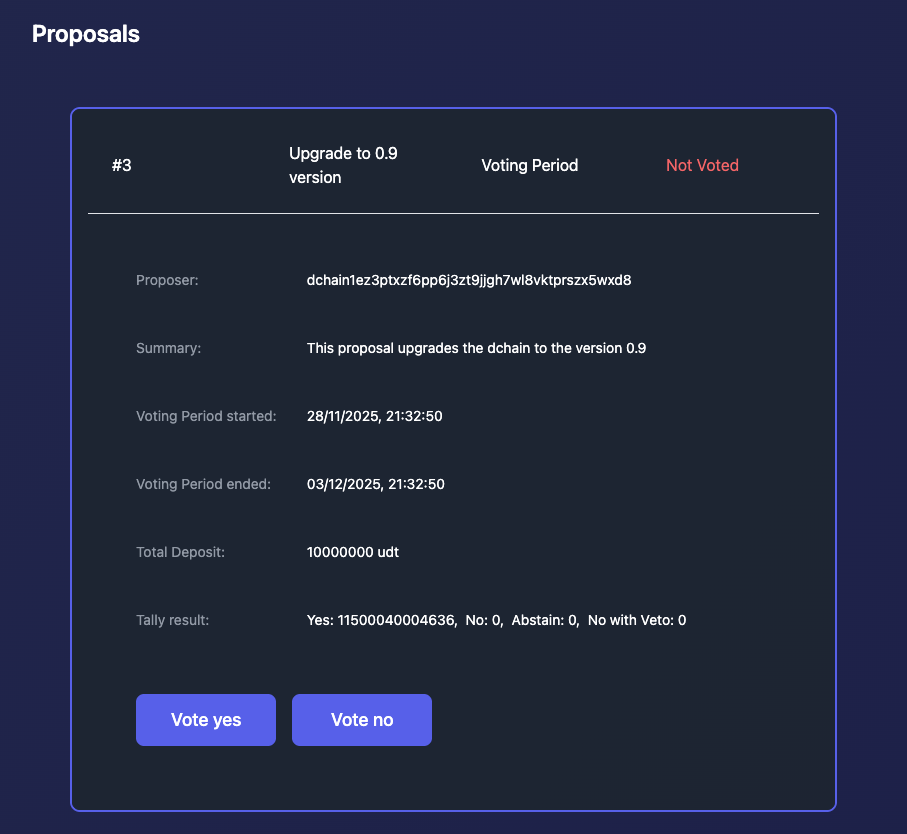
- Browse the list of proposals in the voting period
- Click on a proposal to view its details
Step 2: Read the Proposal
Carefully review:
- Title and Description: What the proposal aims to achieve
- Proposer: Who submitted the proposal
- Voting Status: Current vote distribution
- Voting Deadline: When the voting period ends
- Deposit Amount: How much was deposited to activate the proposal
Step 3: (First time voting only) Opt-In to participate in the DAO
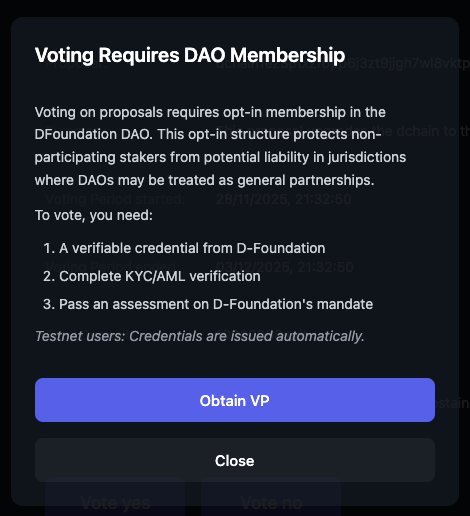
If this is your first time voting, you can click Yes / No, a popup will appear for you to obtain your DAO membership verifiable credential. This verifiable credential is used to derive a selectively disclosed presentation for you to vote.
During testnet, we mock this process so simply click to "Obtain VP"
Step 4: Cast Your Vote
- Select the option you want to cast your vote and then sign the transaction with your passkey
During the voting period, you can change your vote.